
With KaHero POS, you have the option to add your employees as users. However, with the free feature, you can only add one (1) user. By subscribing to our PRO version, you can add anywhere from five (5) users up to unlimited users.
To add users in KaHero POS:
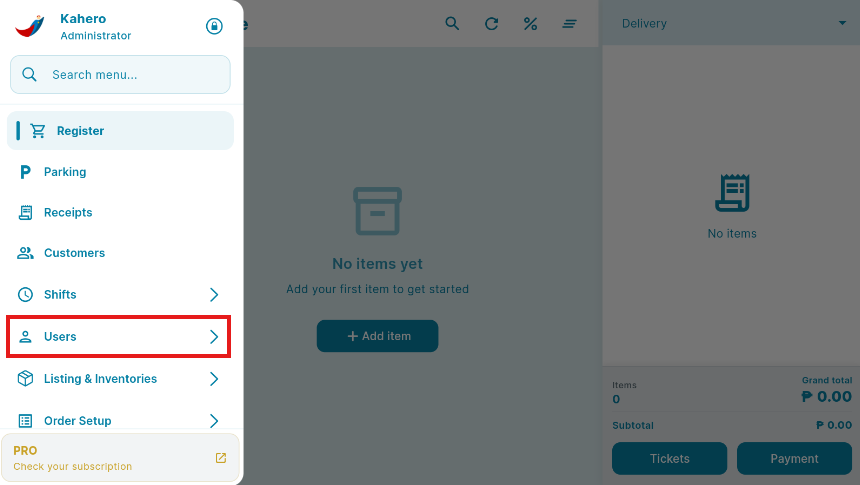
- Tap the Navigation Menu and Click USERS.
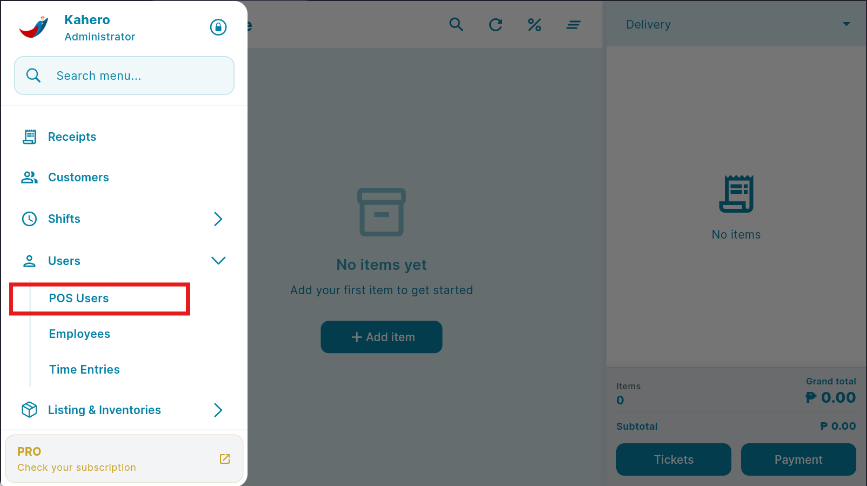
2. Under USERS, Choose POS users.
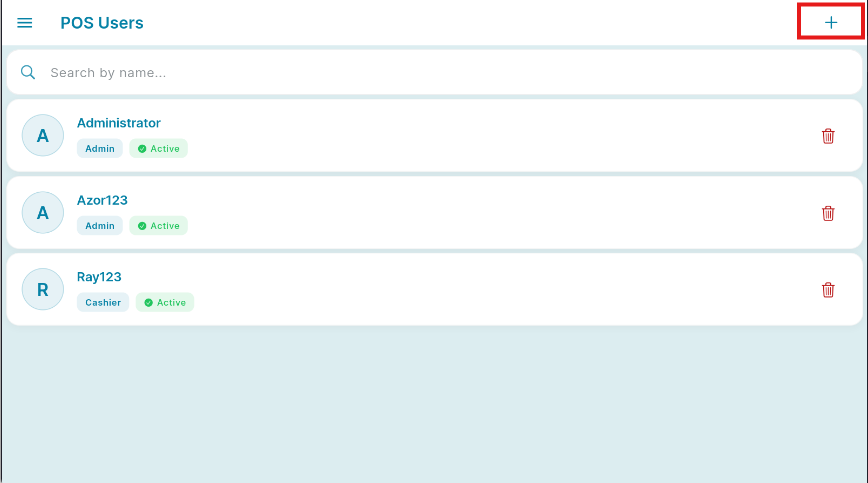
3. Tap the plus (+) or Add button located on the upper right.
- You will then be redirected to the Add User screen.
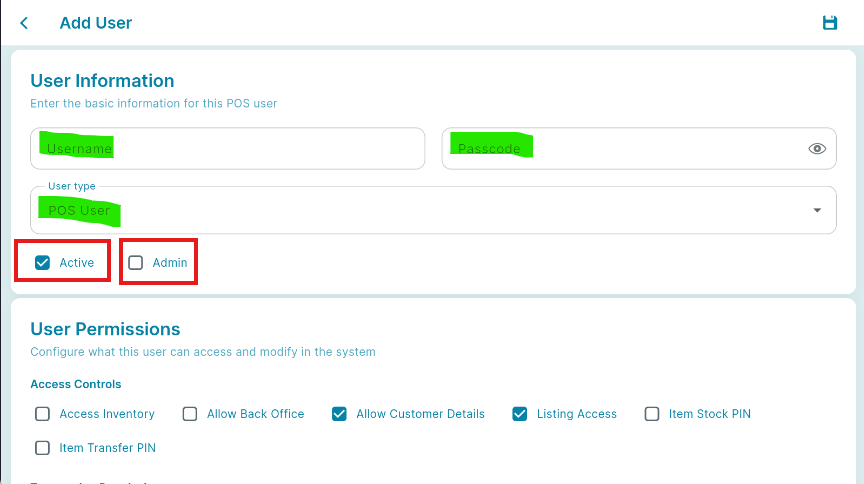
- Enter your employee's name and assign a unique passcode for each user to ensure restricted access and prevent unauthorized entry.
- You also have the option to customize which features are accessible for each employee's account.
- SAVE
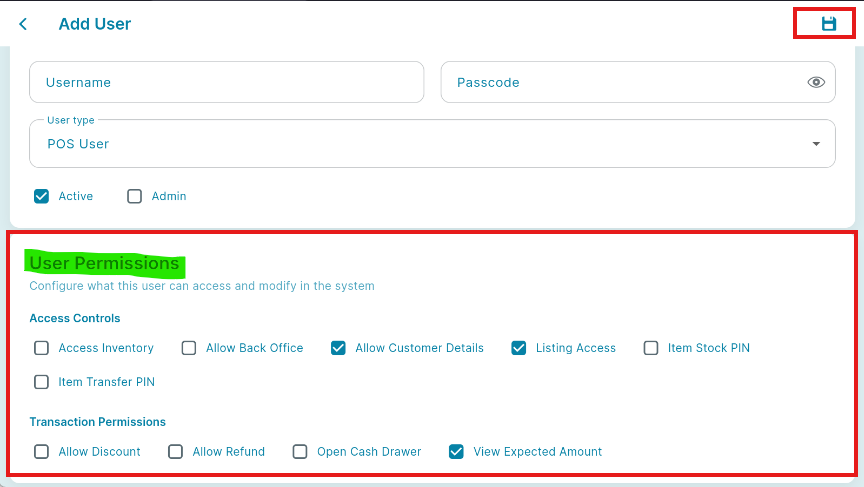
The first user added will possess admin capabilities.
List of features and their description:
- Open cash drawer w/o sale - User will be able to open the cash drawer even without making any transaction.
- Allow to access Back Office - User will be able to access your business' back office and view all the reports and information found there.
- Allow to edit Customer Details - User will be allowed to access all the features.
- Allow to access Inventory (Inventory Management) - This includes creating item bundles, viewing item stocks, transferring items and viewing the item ledger.
- Allow access to Listing Menu - User will be able to access and edit your listings.
- Allow to Refund - User will be allowed to apply refunds to receipts.
- Allow to Make Discount - User will be allowed to apply discounts on transactions.
- Allow to view expected Account - User will be able to see the expected amount of cash they should have when they end their shift.
- Admin - User will be given administrative access.
By enabling Admin, the rest of the features will automatically be enabled.
👏Nicely done! You have now registered a new User.