Table of contents
From KaHero POS
0:00
/0:25
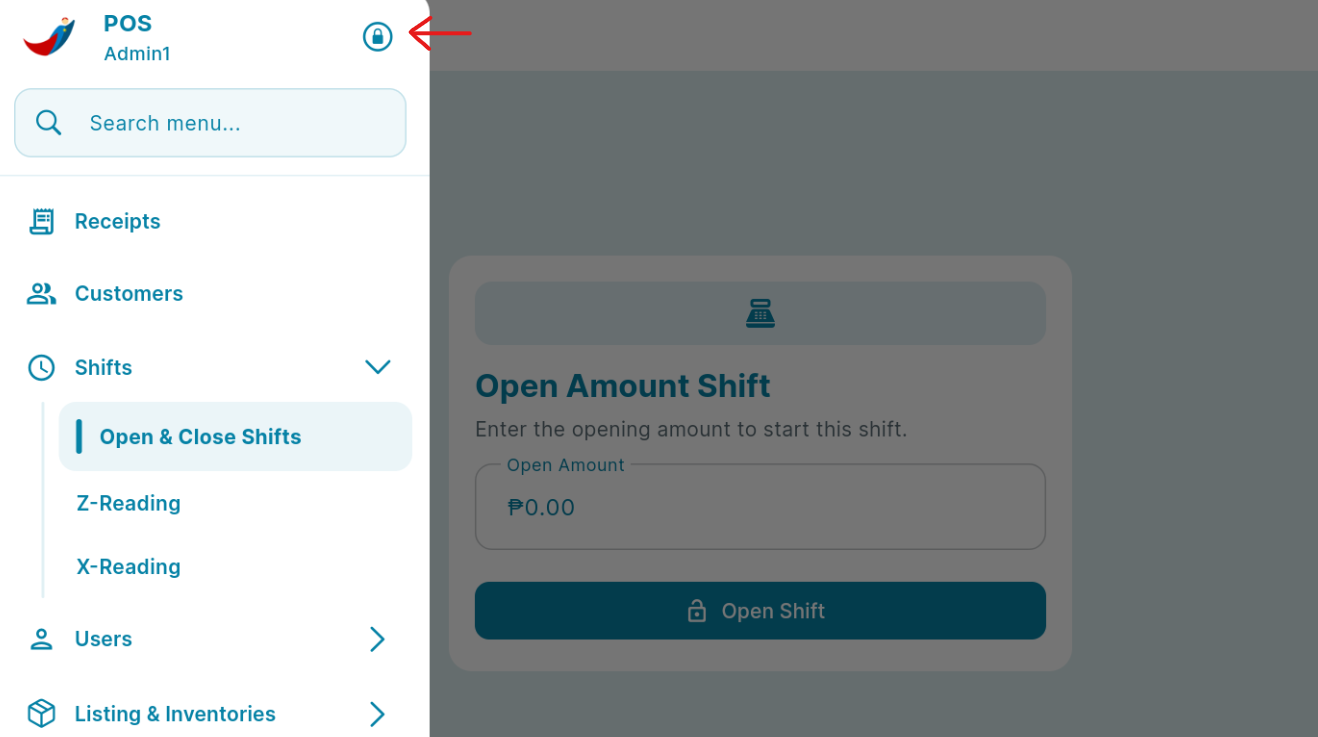
On the "Navigation Menu" you can see a "Lock logo" located in the upper left besides "The Cashier Name" click to log out of your account.
From The Back Office
You access the back office through KaHero POS app or app.kahero.co.
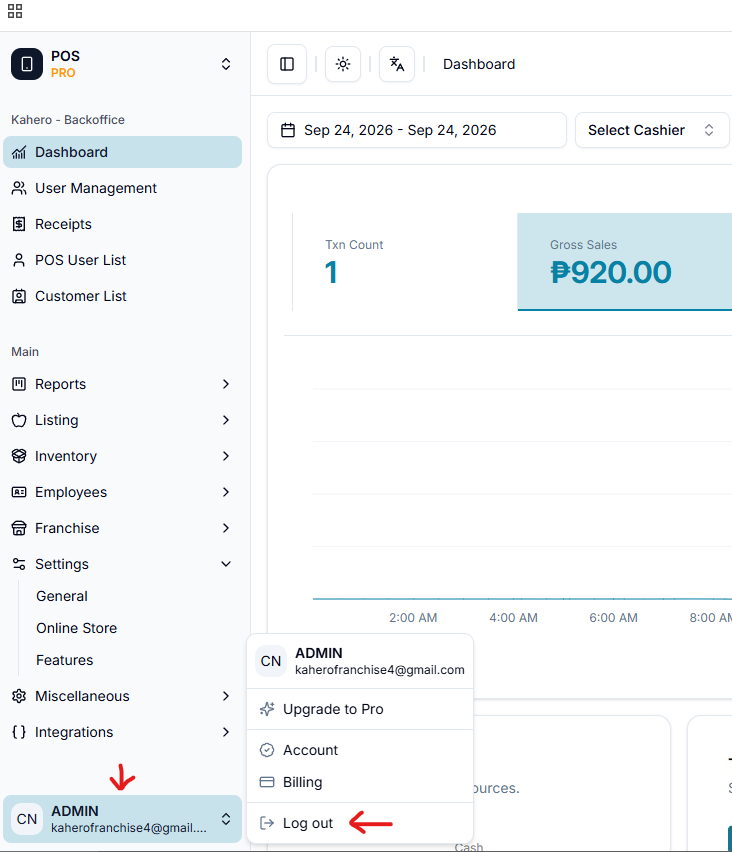
On the "Navigation Menu" below "Email" Located at the lower left of the screen, select "Log Out" to log out of your account.