
KaHero POS provides a convenient way to apply discounts to individual items or entire sales transactions. This flexible feature allows businesses to easily offer promotions and special pricing while providing customers with a more rewarding shopping experience and greater satisfaction.
To create and configure your discounts:
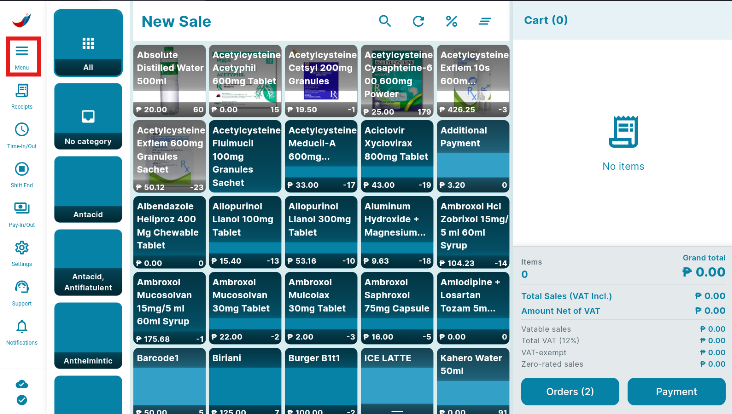
- Open the Navigation Menu.
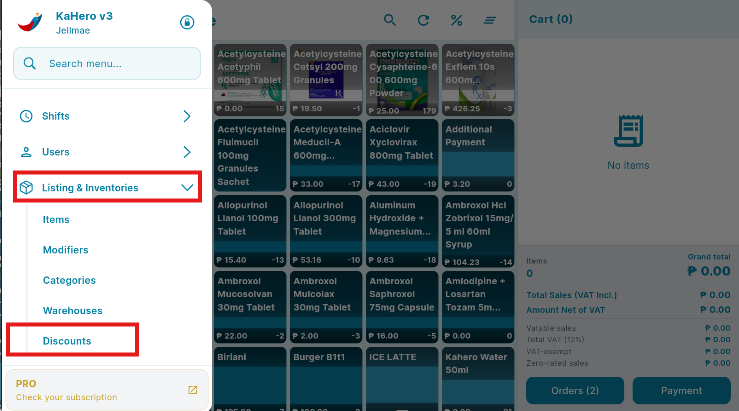
- Scroll down to locate the Discounts under Listings & Inventories.
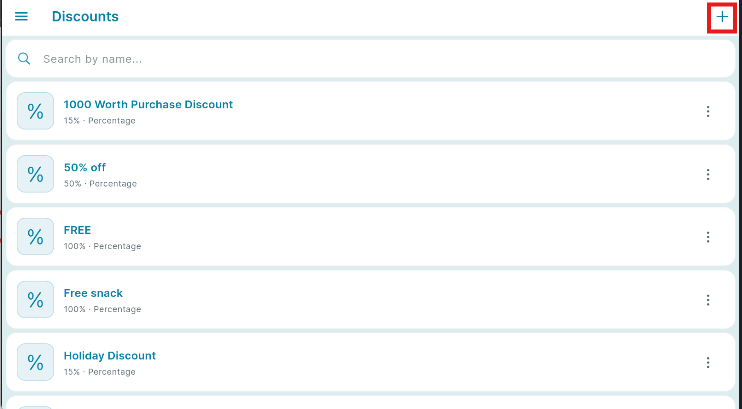
- Press the plus (+) icon in the upper right corner.
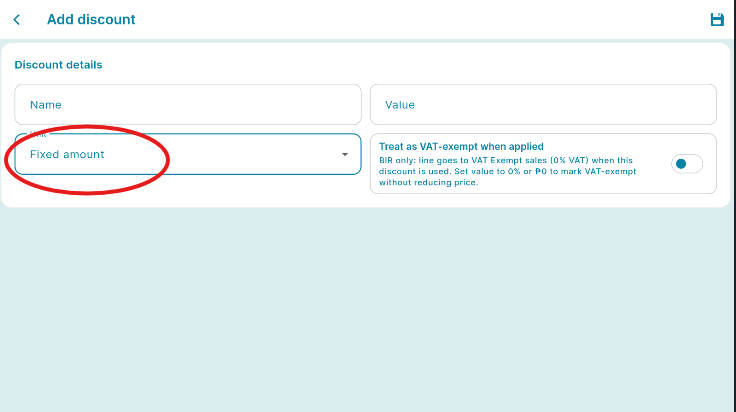
- You will be redirected to Add Discount screen.
- Input the name of the Discount and its corresponding value in the spaces provided below.
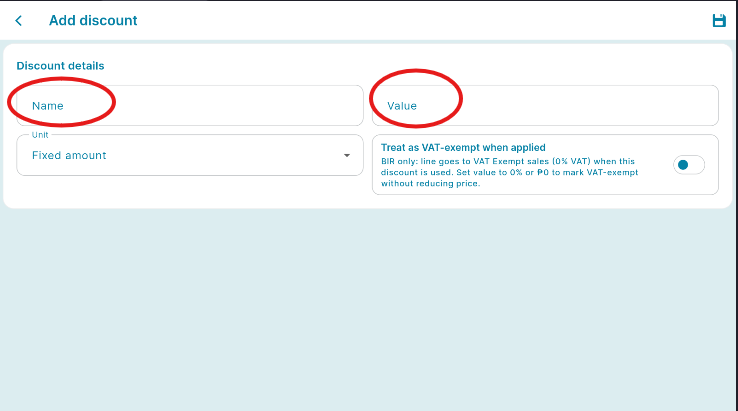
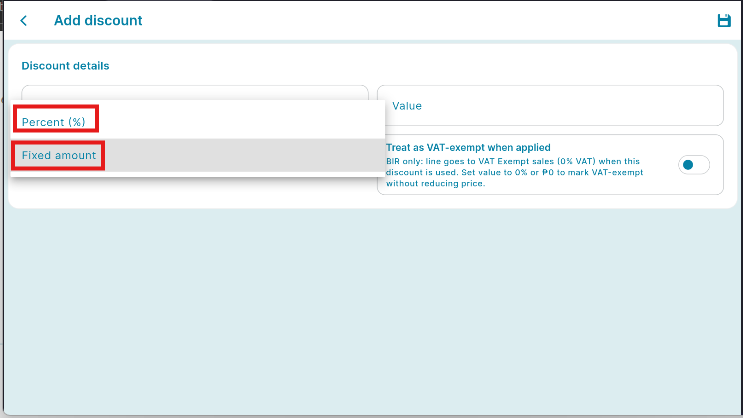
- Select whether you'd like the value to By Percentage or By Whole Number.
- By Percentage - a percentage of the transaction's or item's total amount will be deducted from the grand total.
- By Whole Number - a specific number of the transaction's or item's total amount will be deducted from the grand total
- Press Save to add the discount you created.
👏Bravo! You have now successfully added your first discount.