
This section is for users OUTSIDE the Philippines ONLY. For users from the Philippines, you can contact us directly for your account deletion.
Head to KaHero's Back Office (app.kahero.co). Sign in with your KaHero POS account. Then click the email located at the lower left corner.
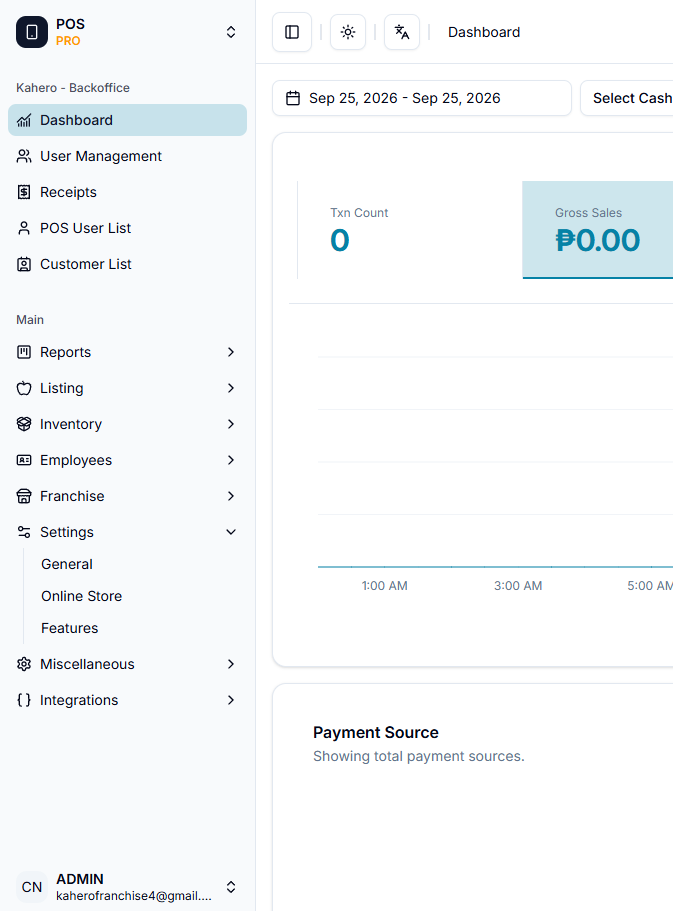
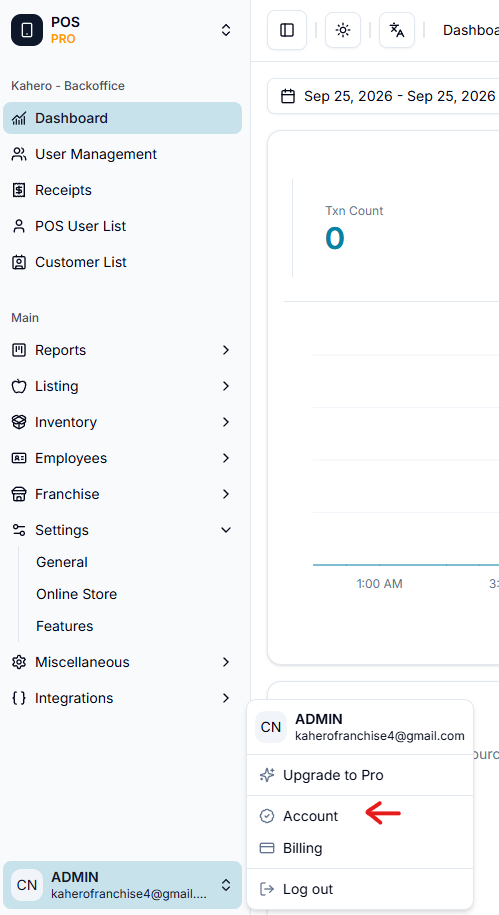
After click the email. Click the "Account"
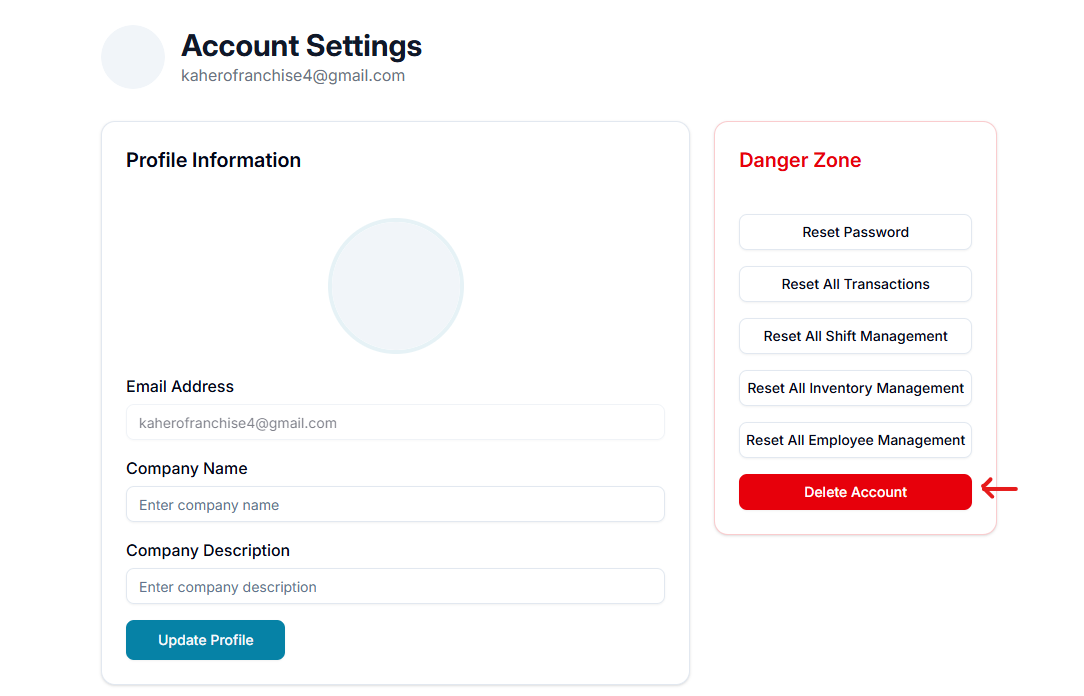
Then a pop up message will appear for your confirmation.
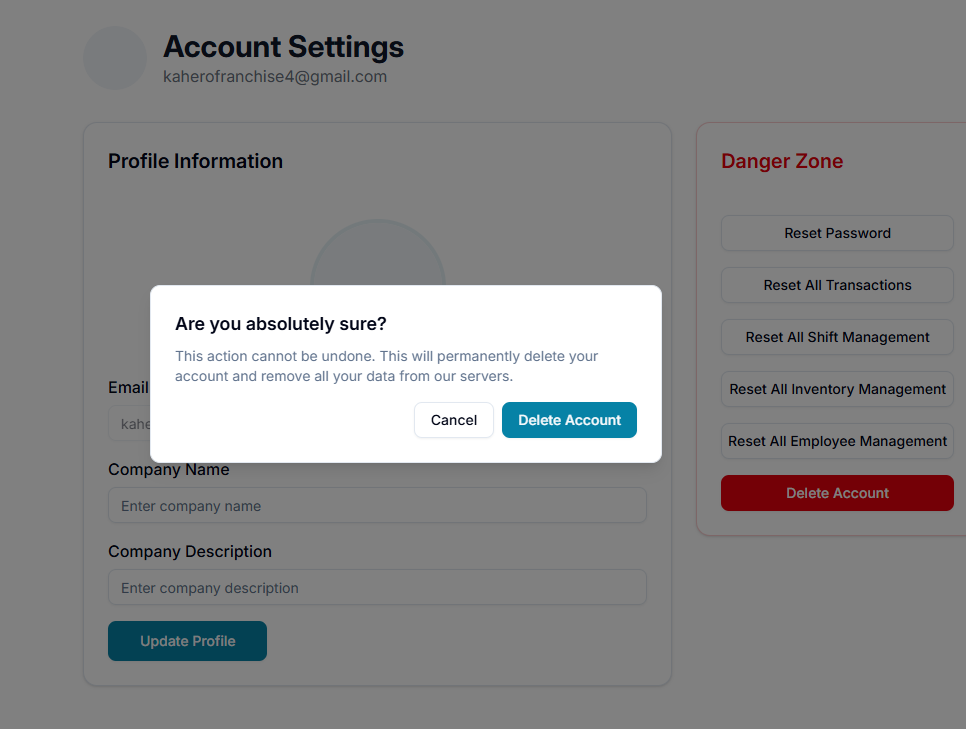
Your KaHero account and data will be deleted within 24 hours.