
How to Generate Barcode from the Backoffice Manually?
- Go to Listings > Items.
- Select the Generate Barcode at the Upper Right side.
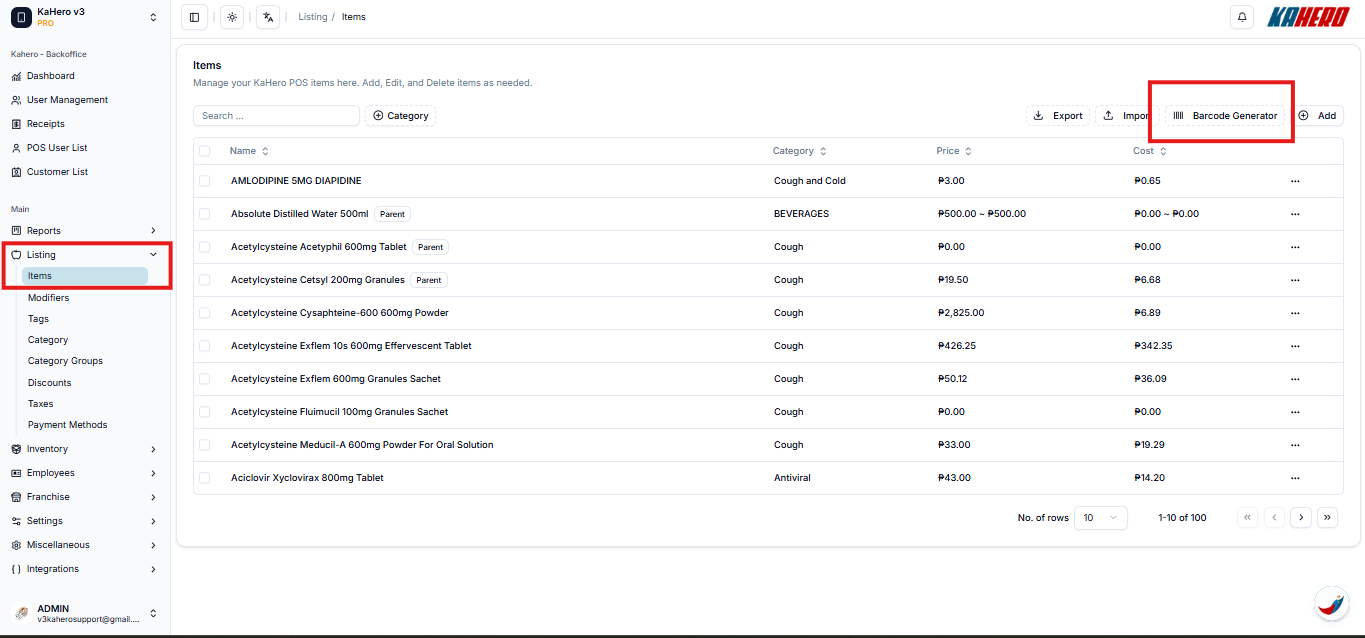
- You will be directed to Barcode Generator
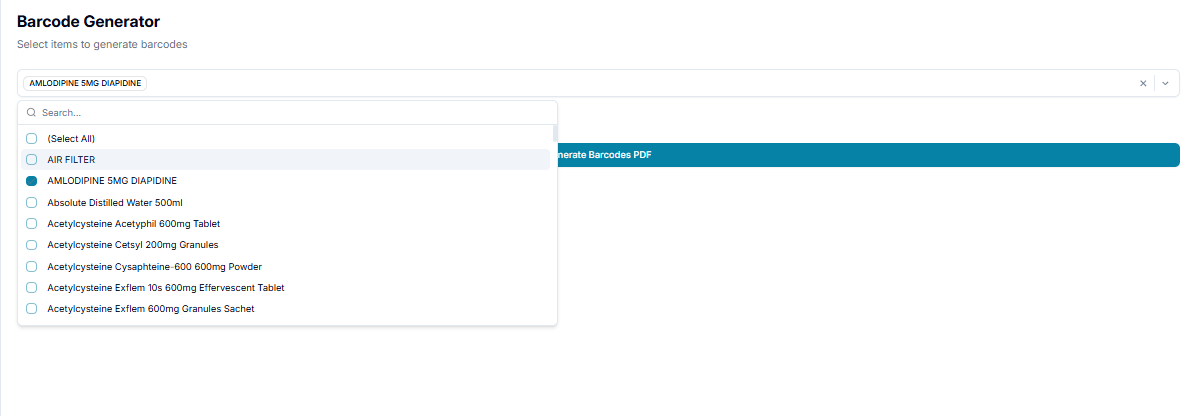
- Select items to generate barcodes
- Select Items
- Toggle Show Price if wanted to show the price once generated.
- Toggle Show Name
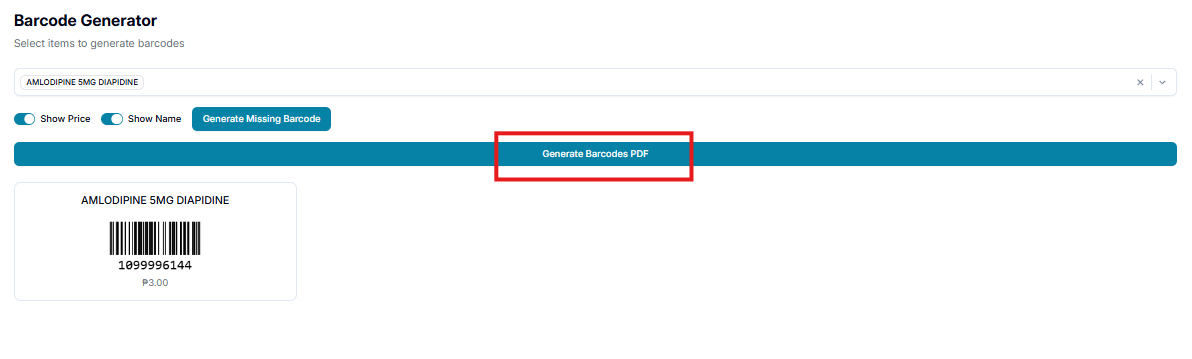
- Generate Barcode PDF
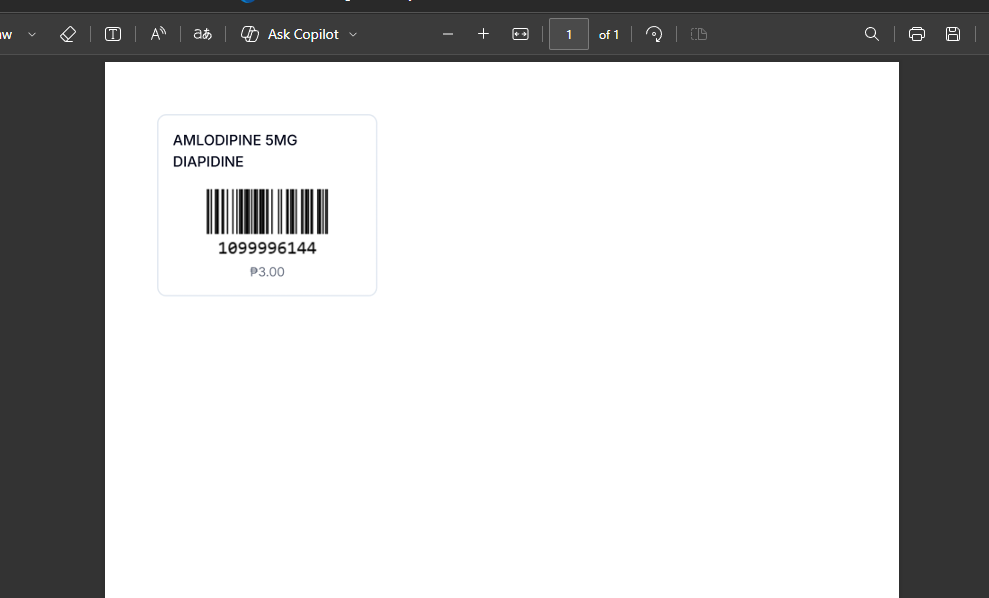
- You can now print it to the Sticker Label Printer.