Table of contents
A loyalty program is a marketing strategy made to encourage customers to become regulars in businesses. Most business implement the loyalty program to get returning customers. Luckily, KaHero POS is here help you setup your loyalty program!
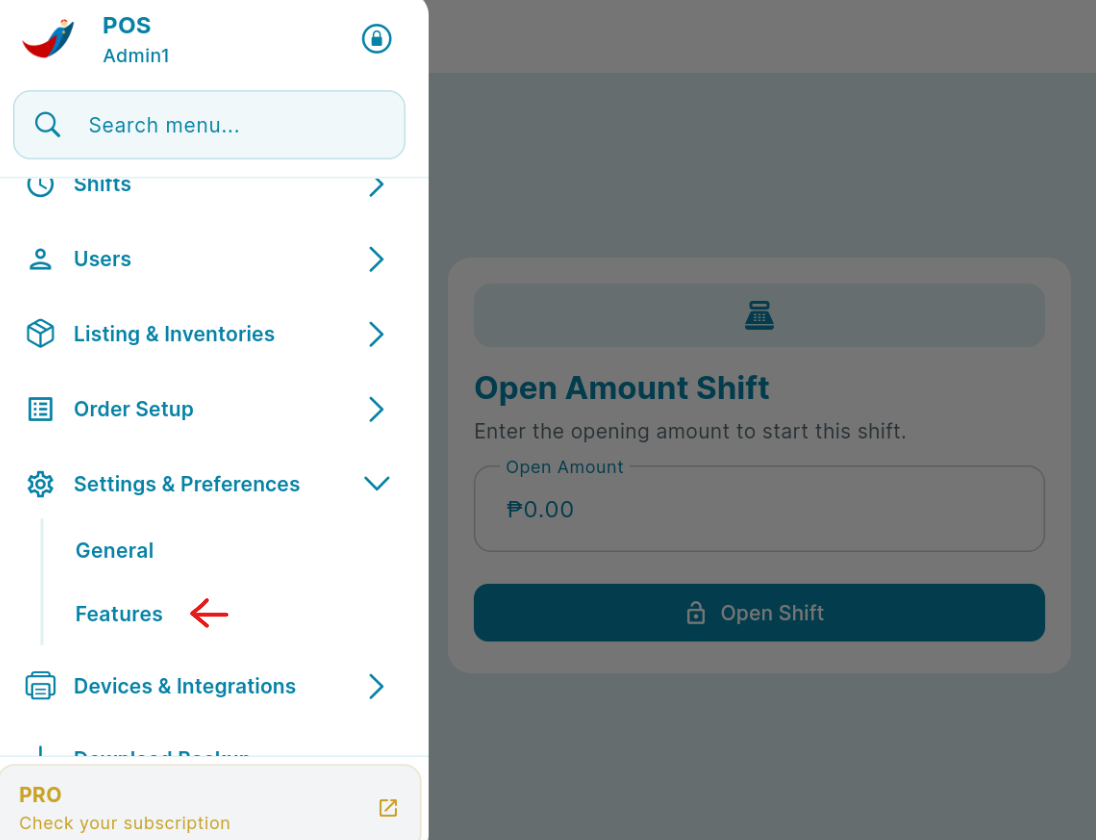
On the "Navigation Menu" under "Settings & Preferences", select "Features".
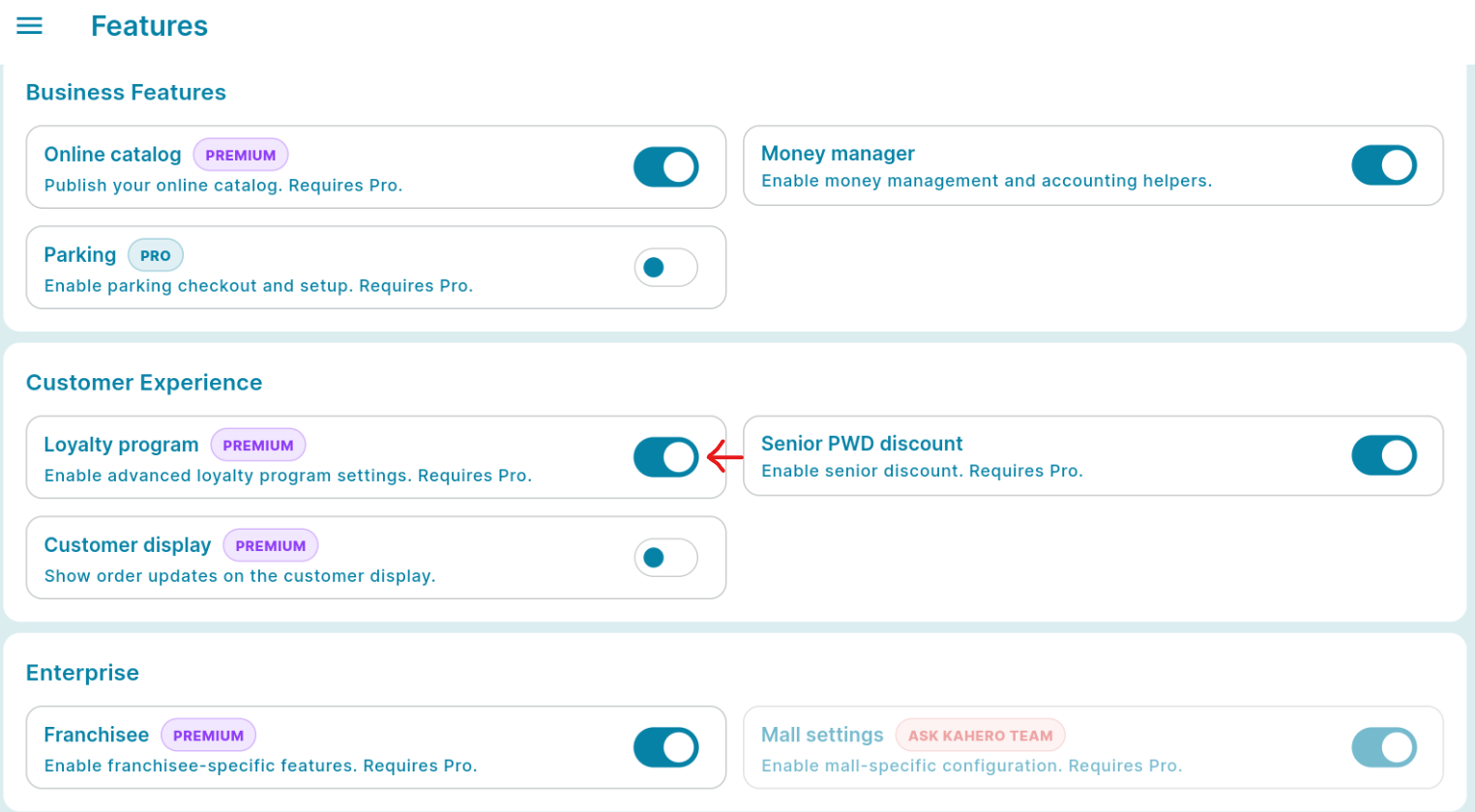
On the features list, Scroll down to go to "Customer Experience Tab" enable "Loyalty Program".
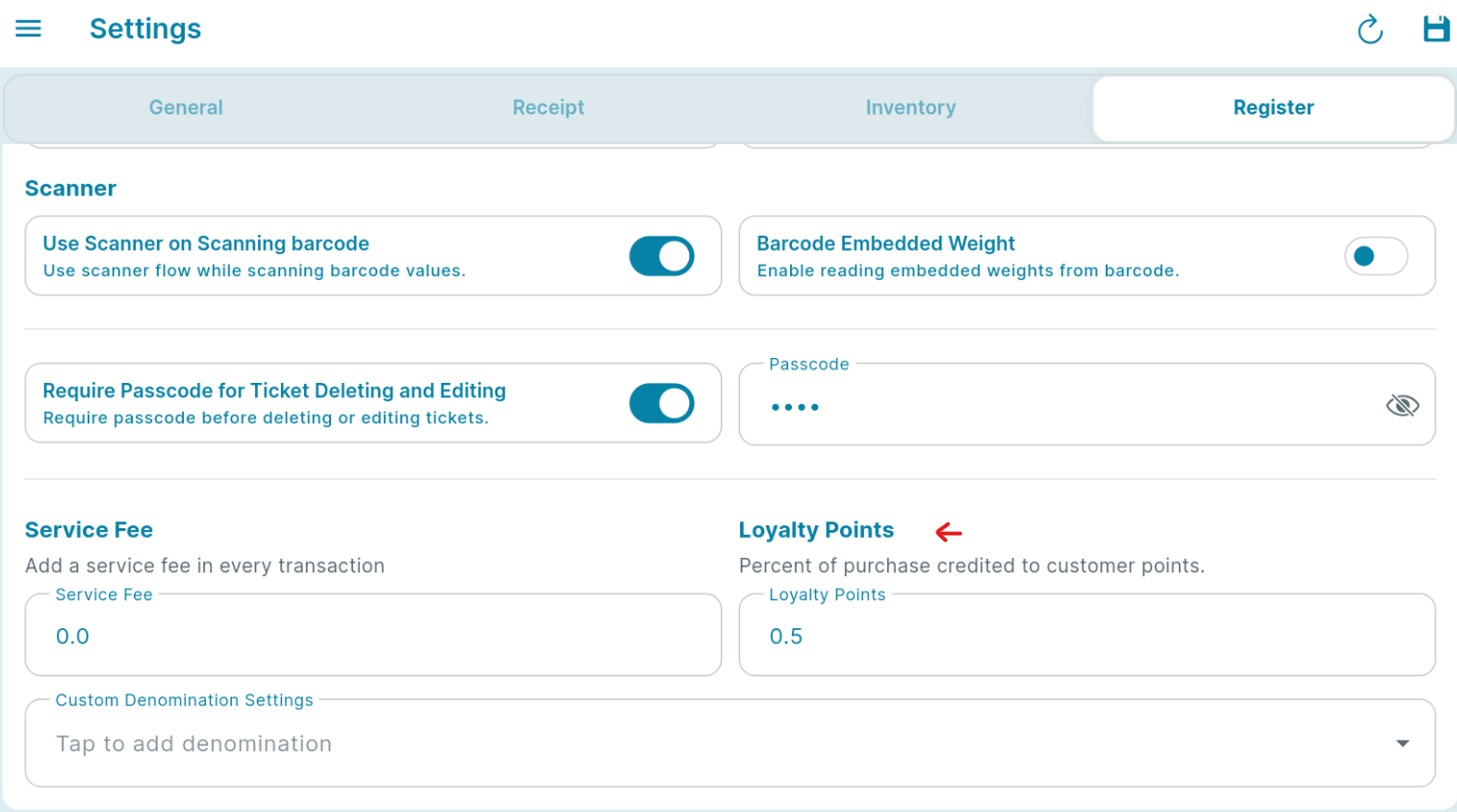
Under your "Settings", go to "General Settings". Go to Register tab and scroll down to find "Loyalty Points" settings. Input the percentage of the amount of the total purchase of your customer to be credited to them.
Setting Up Loyalty Settings in the Back Office
To set up your loyalty program, head to KaHero POS's back office on app.kahero.co
Under your "Settings", go to "General" > " Register Tab" then go to Loyalty Points.
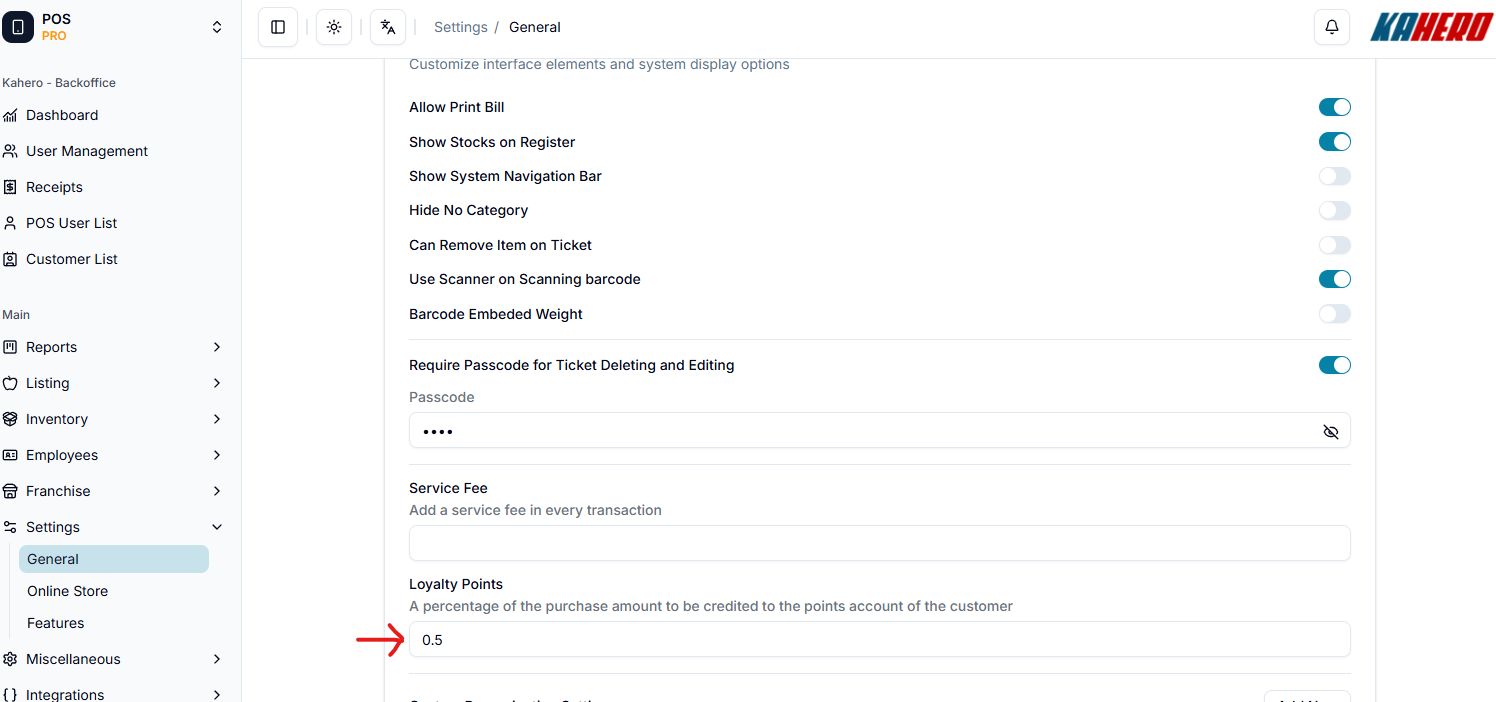
Input the percentage of the amount of the total purchase of your customer that you prefer to be credited as loyalty points.

How to update or edit your points balance
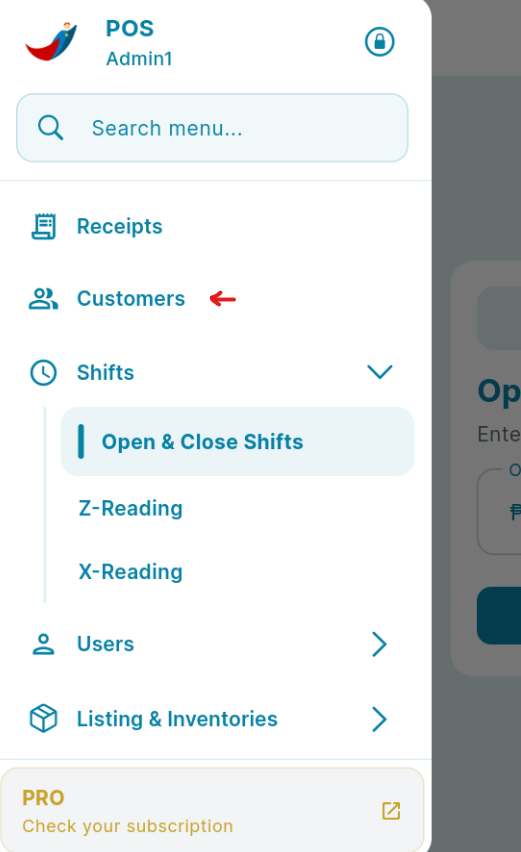
To edit your customers points balance, open your Kahero App and click on the navigation bar and click on Customers.
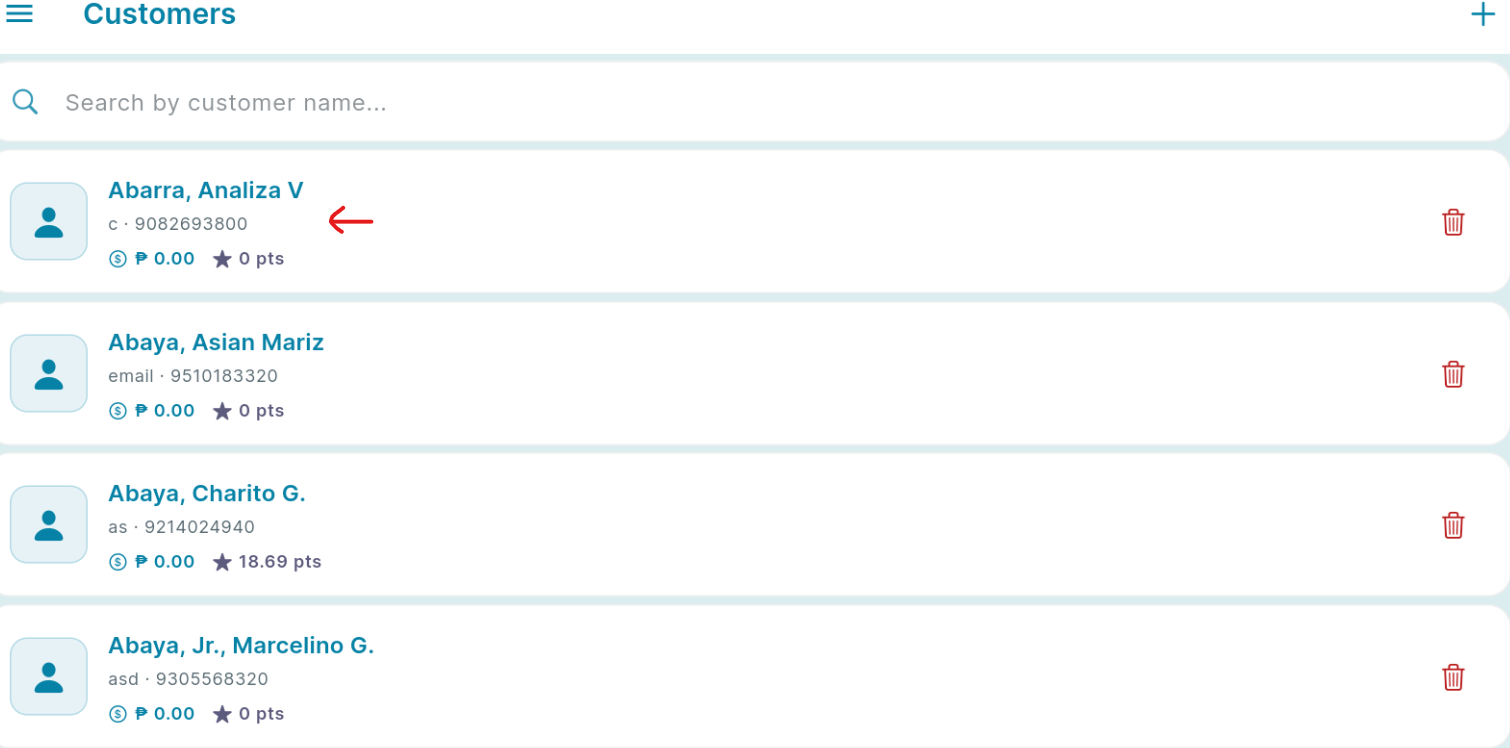
Click on the name of your selected customer.
Scroll down to see the "Total Points".
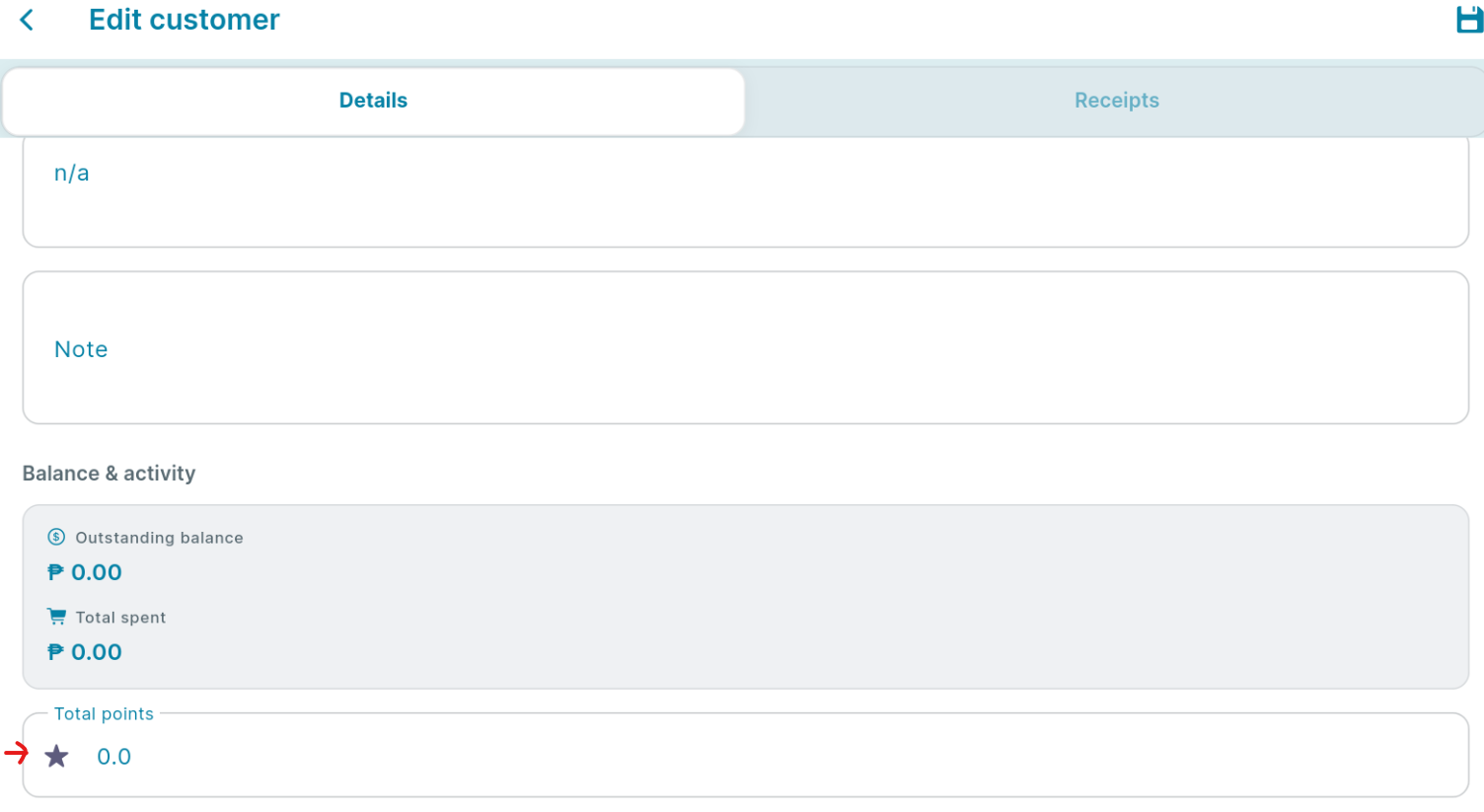
Click the total points to edit.
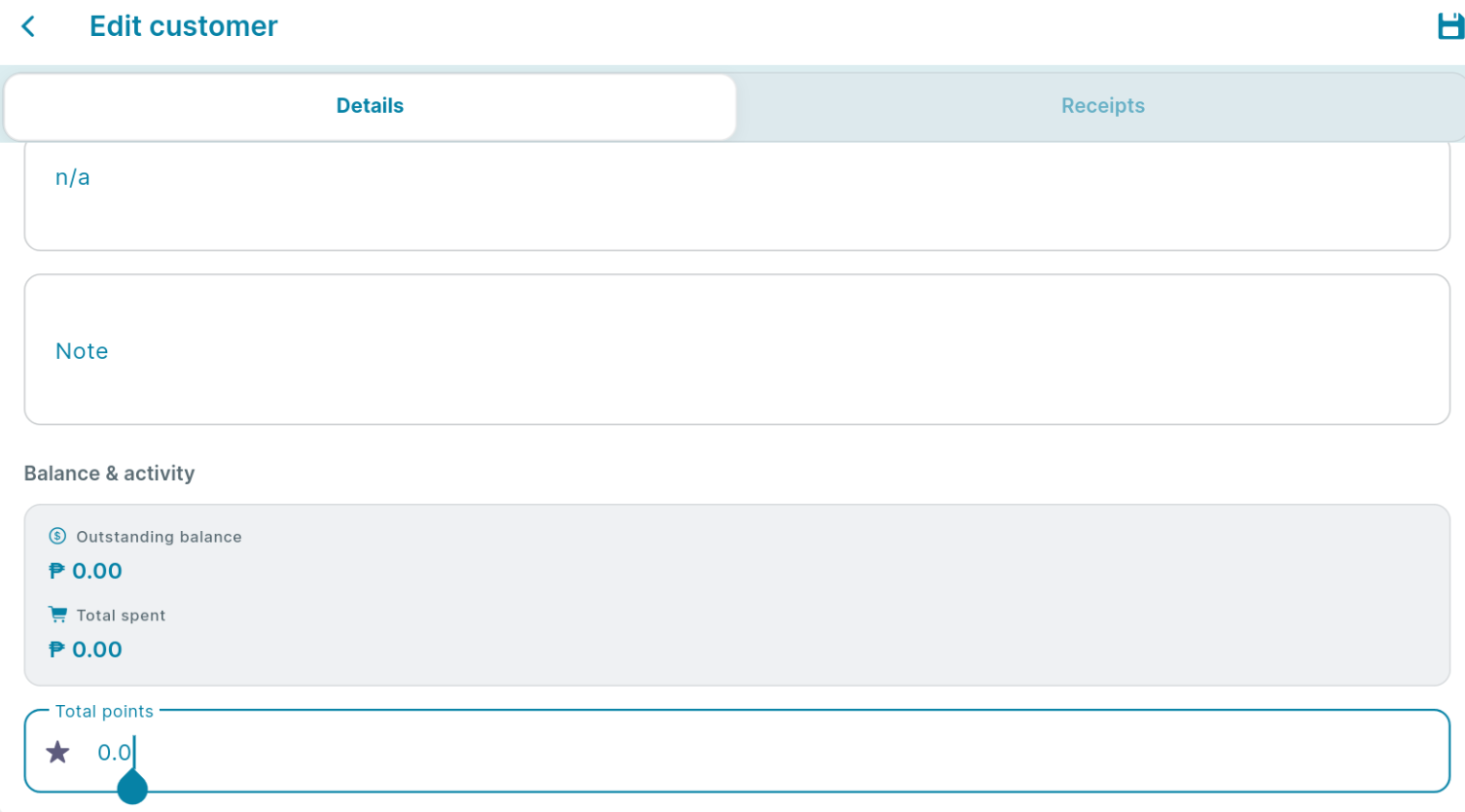
Then you can update the customers points, and click the save button in the upper right.
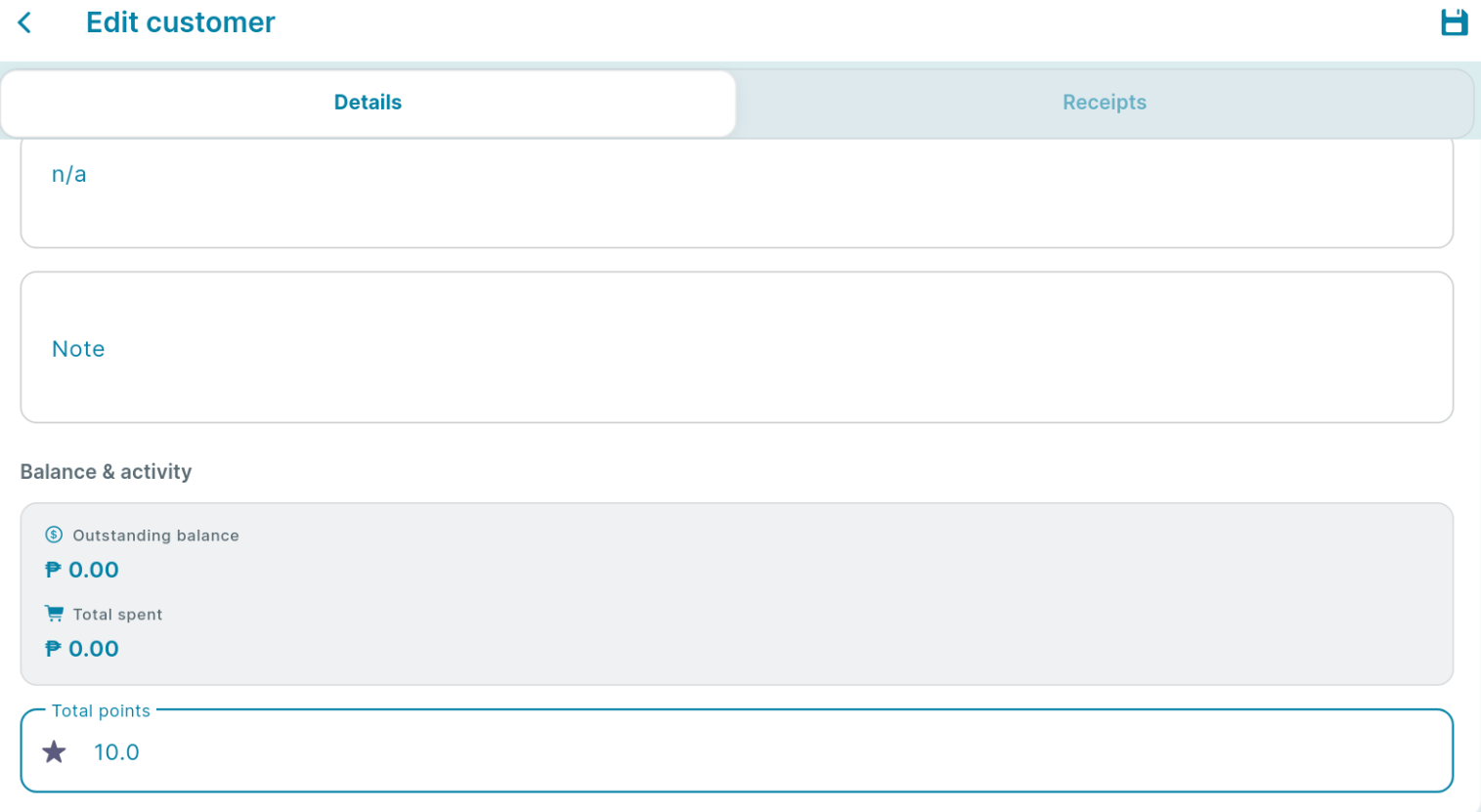
How to redeem points balance
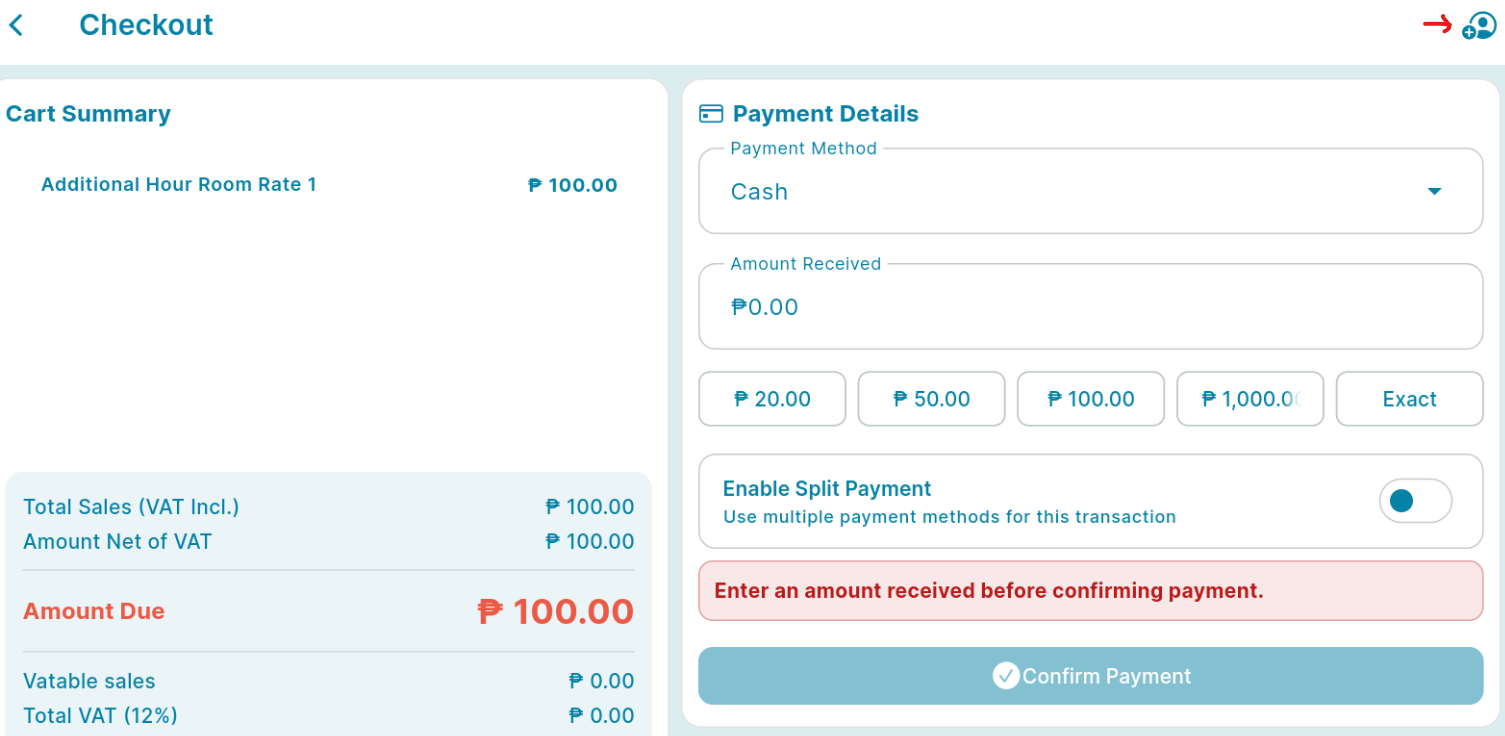
Points balance can be use or redeem by paying customer orders. To redeem, start by transacting your customers order like the sample picture below.
Once your done adding your customer's order, click payment.
Click on the Customer icon then select your customer and apply.
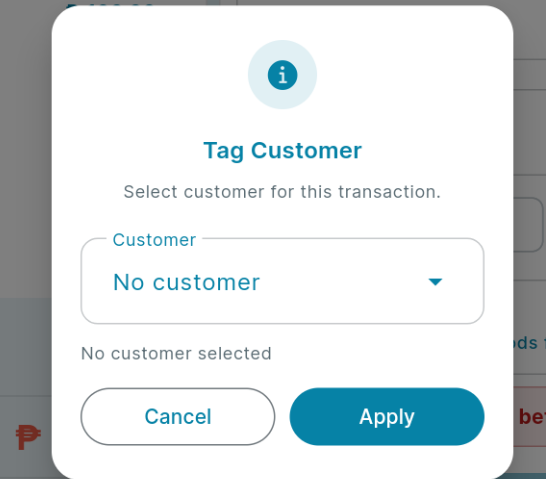
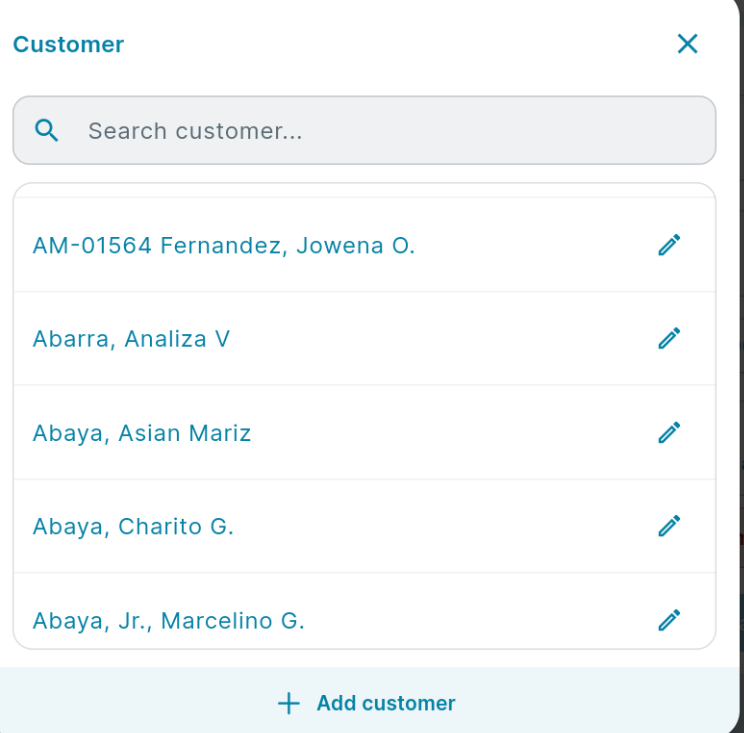
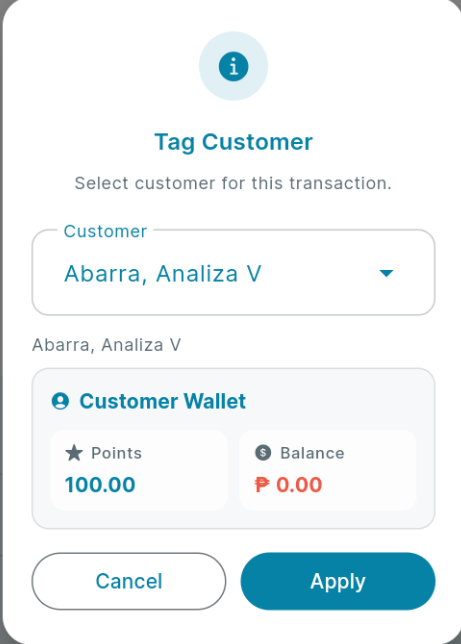
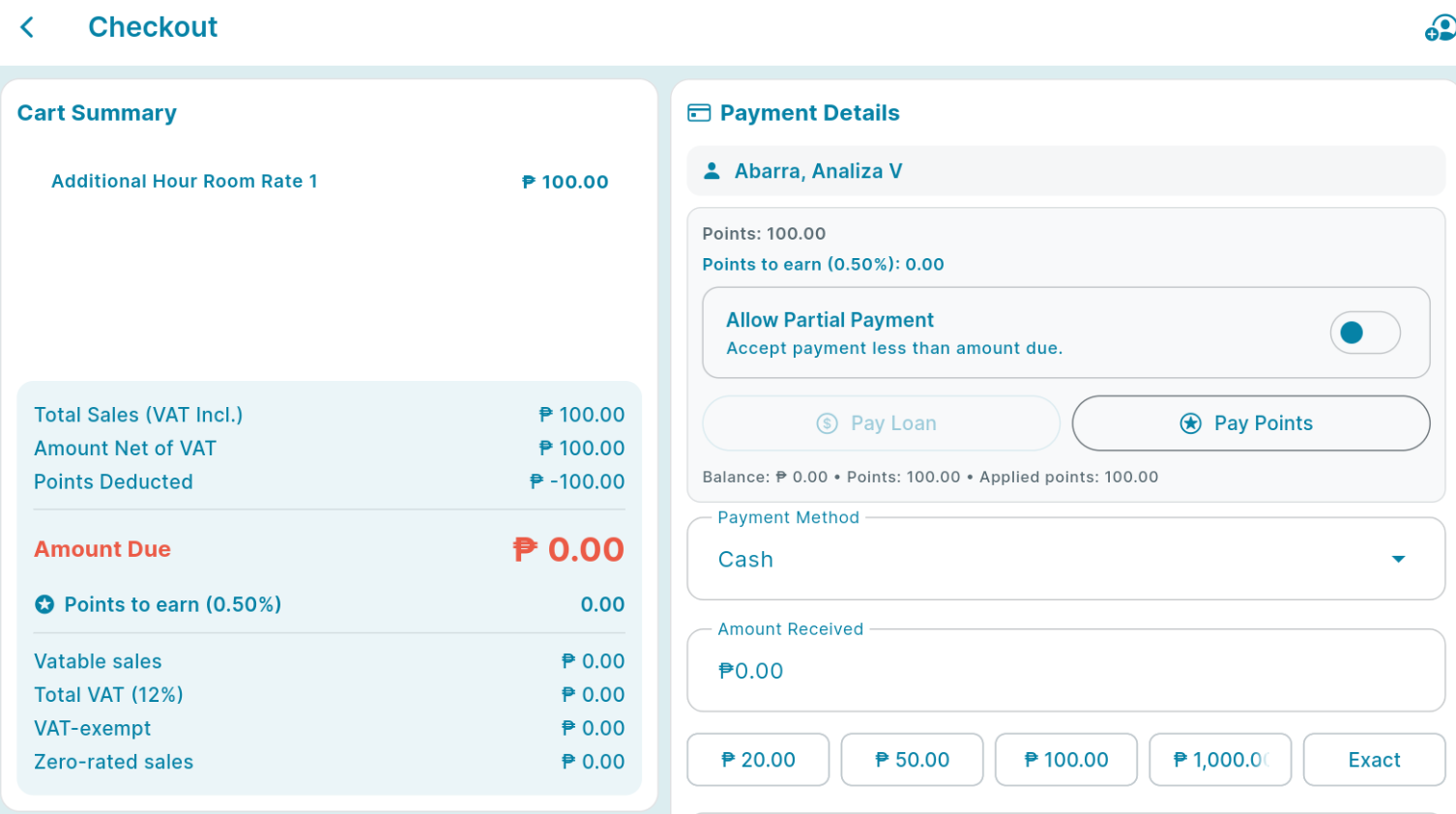
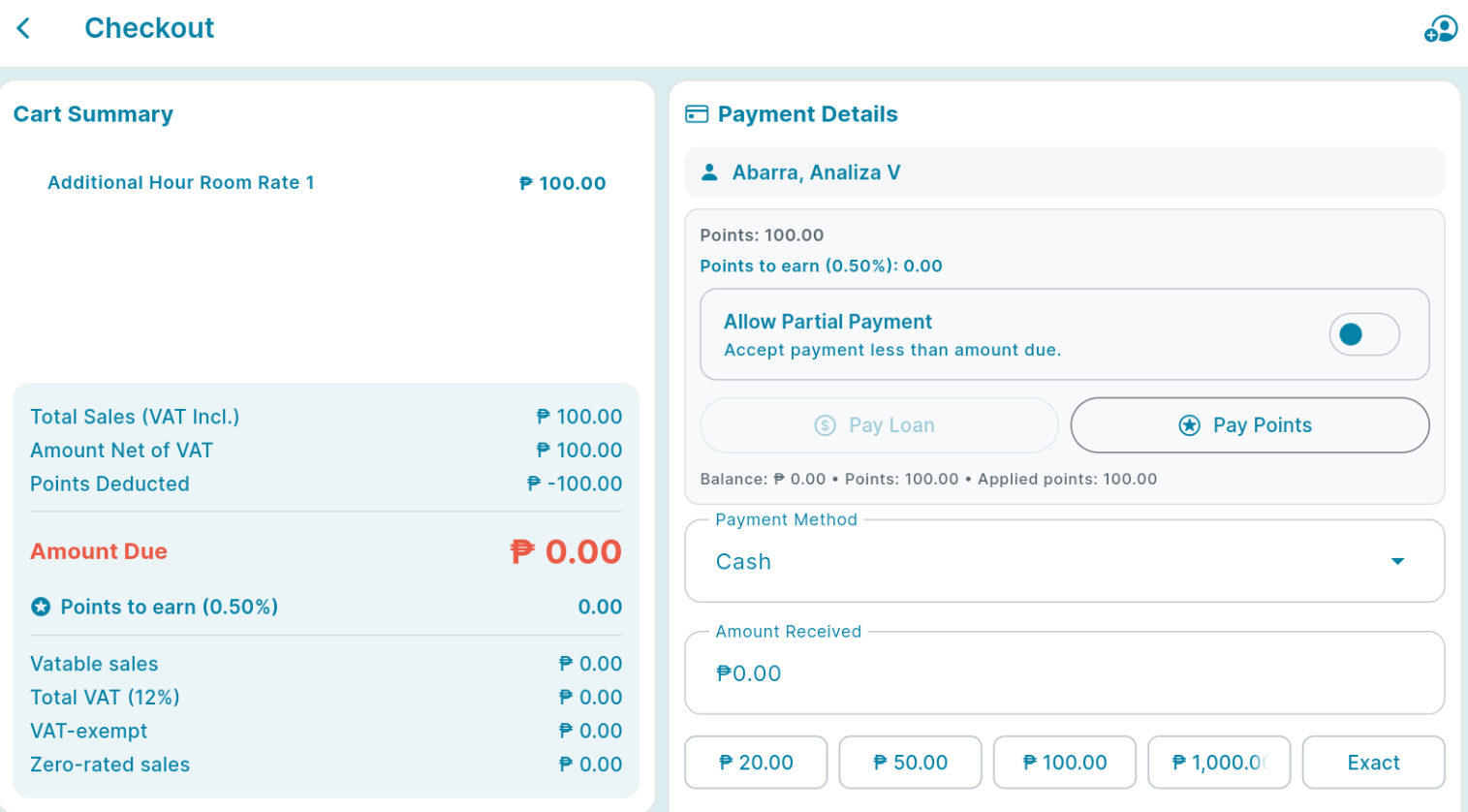
Once your done adding your customer, Click the Pay Points. You can identify your customer points balance beside the star (★) icon.
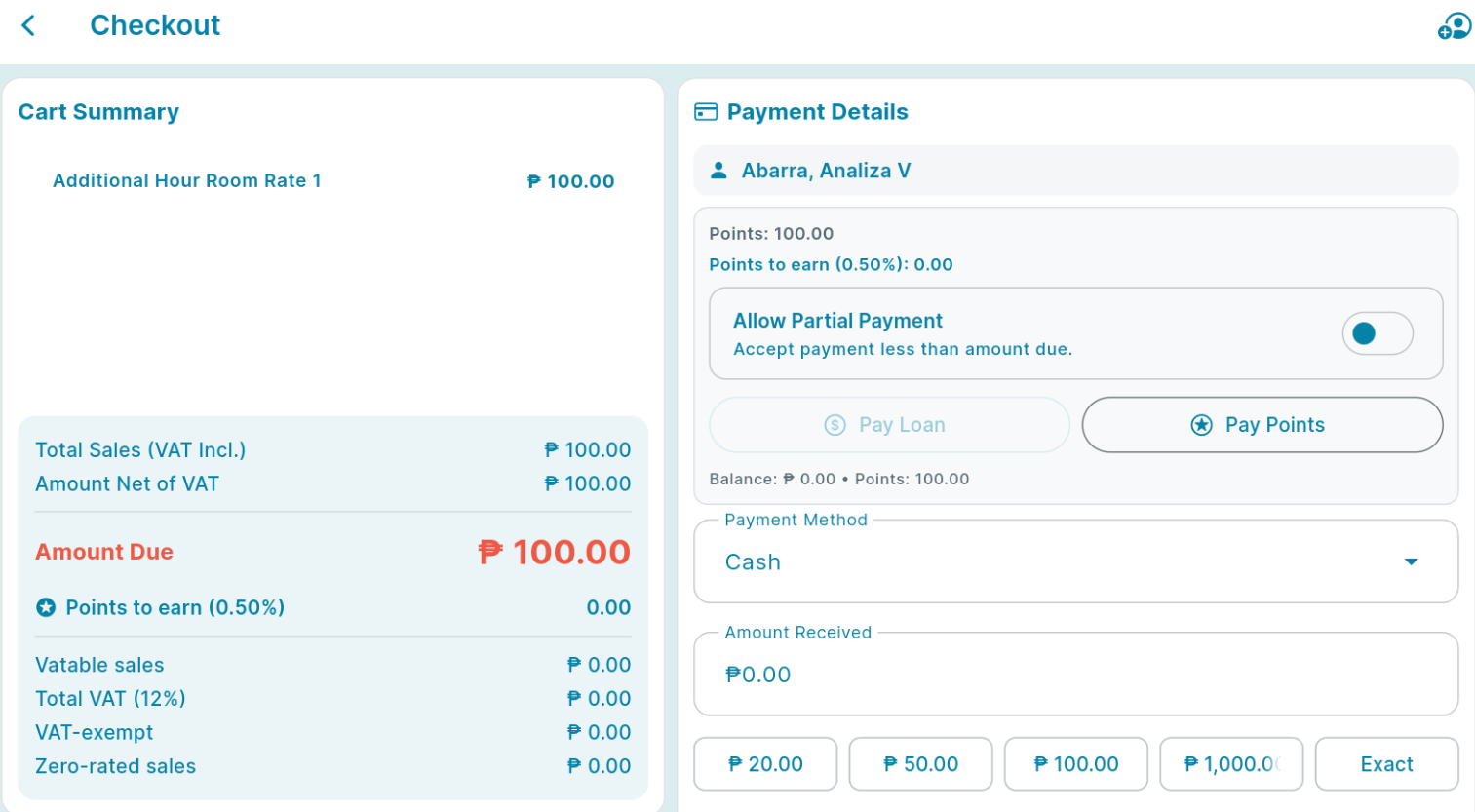
Input the points you want to redeem, then click save.
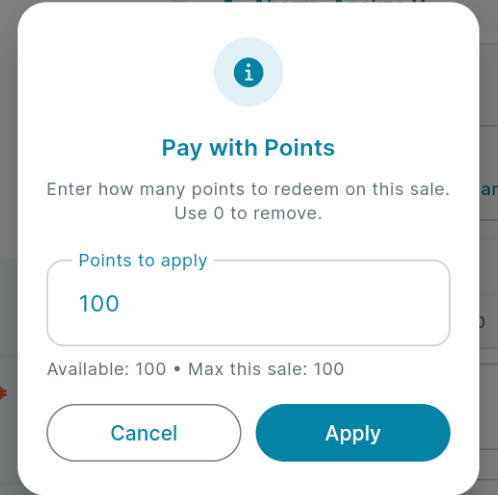
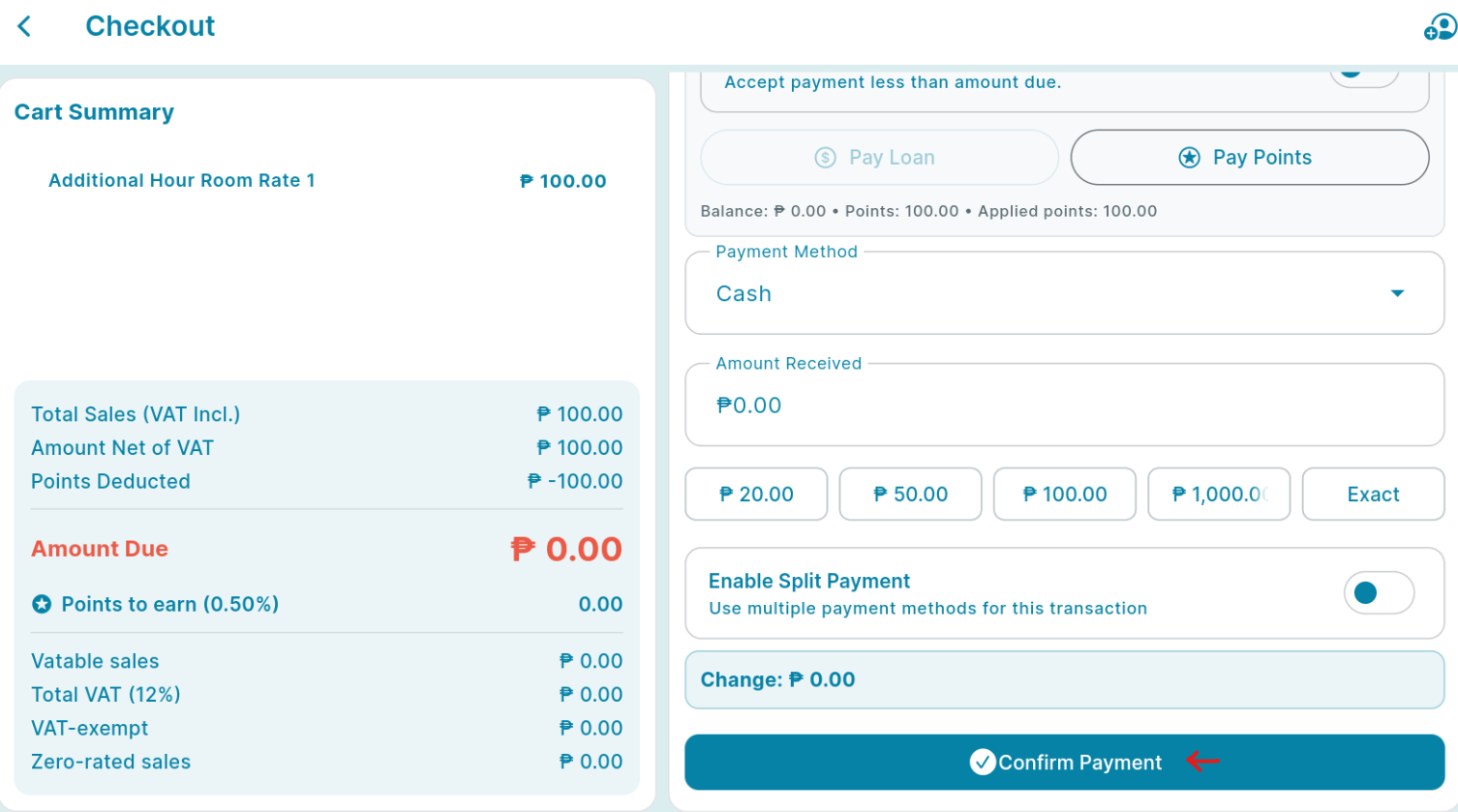
The redeem points will automatically deduct the payment of your customer's order. You can then click proceed and confirm the transaction. Also, note that your customer won't earn points on this transaction.