
If your POS has multiple users, there will be a need to switch users whenever a user's shift is over. If you have the "Shift Management" feature enabled, you will have to end any open shift in order to switch to another user.
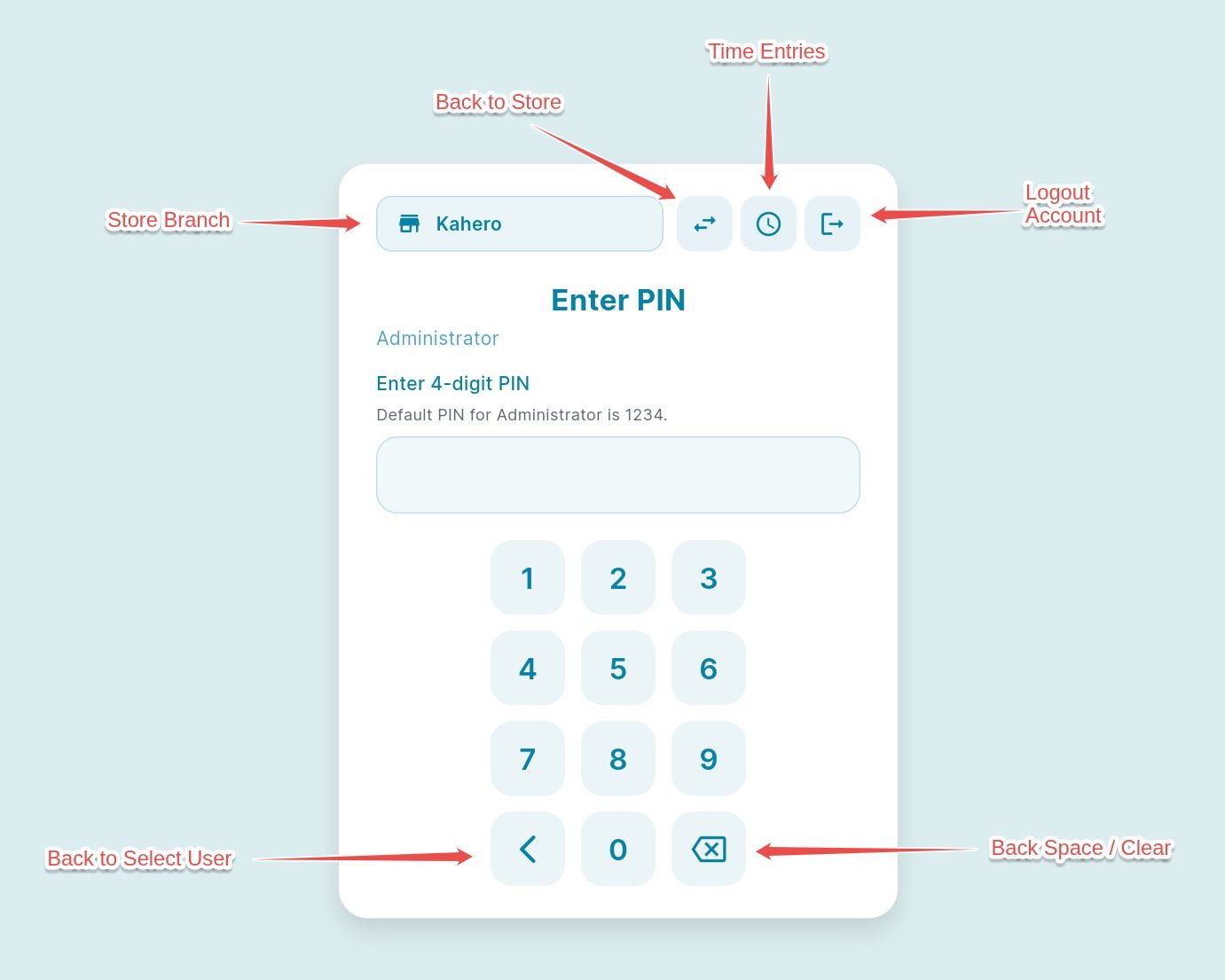
1. Log in as Admin after the shift
When the shift is over, the POS returns to the Select User screen. Follow these steps to log in as the Admin:
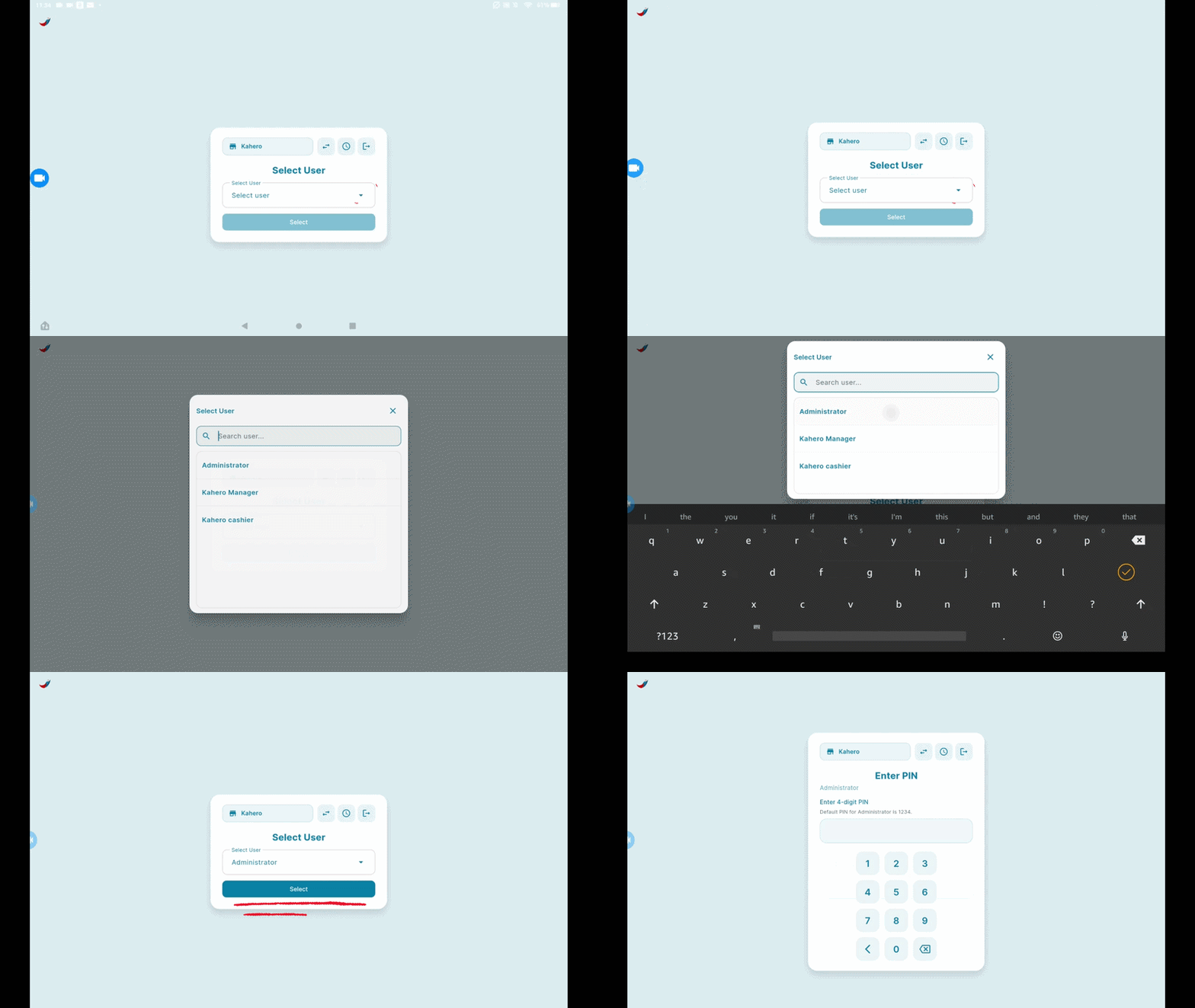
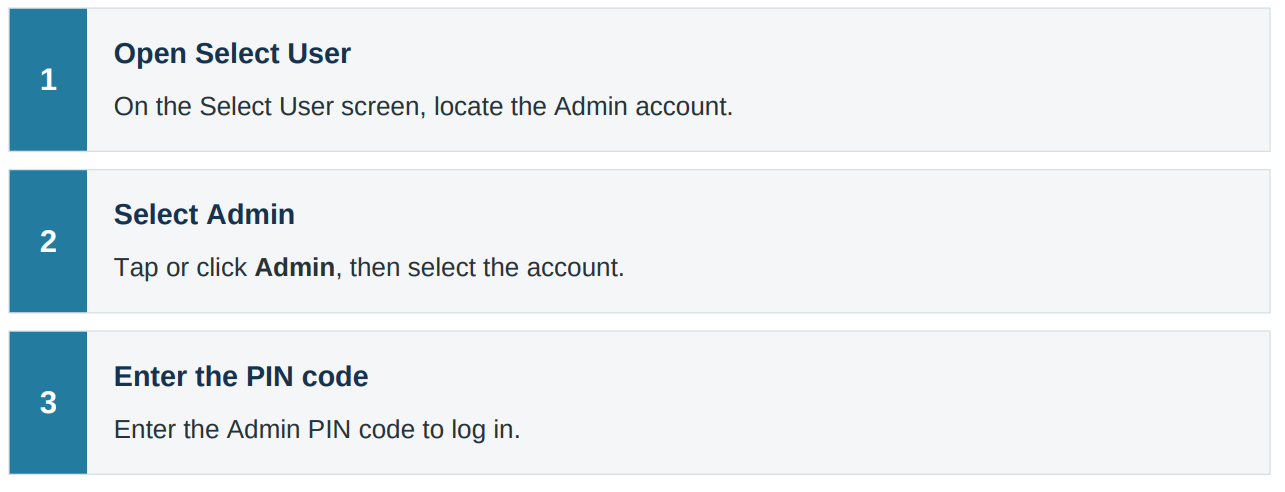
2. Switch to Cashier
If you decide to switch to a Cashier account instead, return to the user-selection screen and sign in with the Cashier PIN.
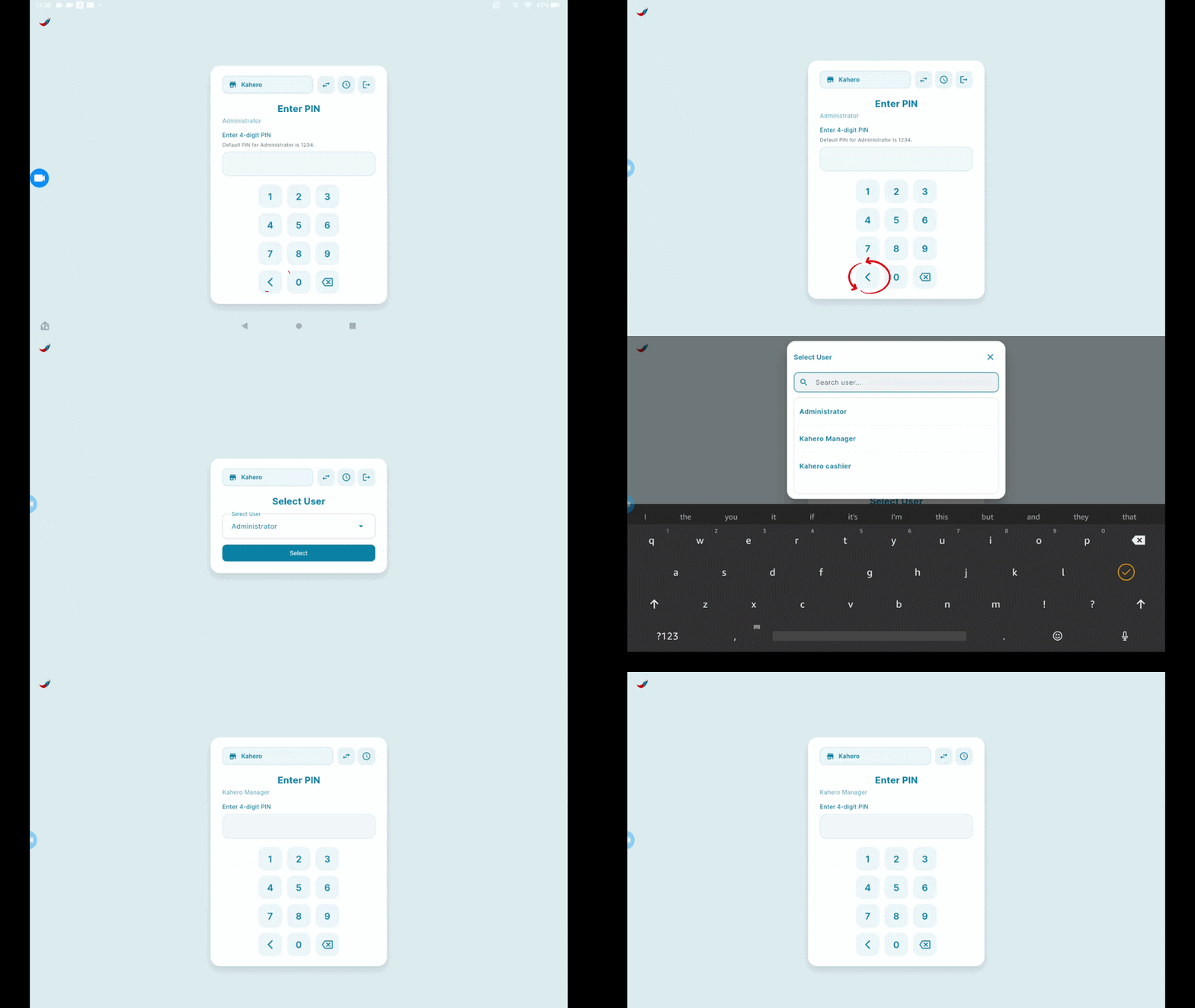
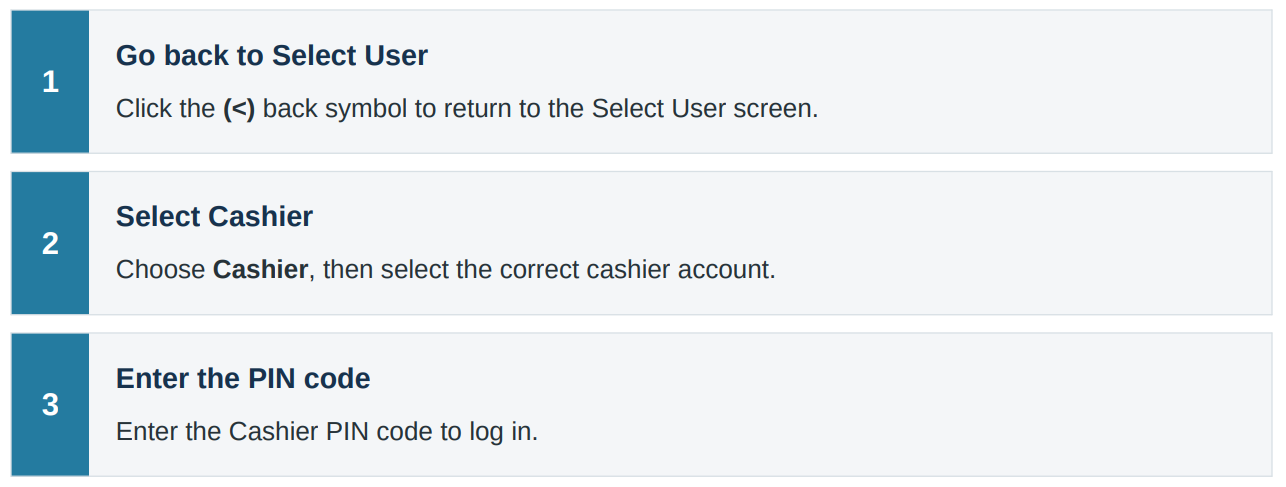
Reminder: Use the PIN code assigned to the selected user. Make sure you choose the correct account (Admin or Cashier) before entering the PIN.